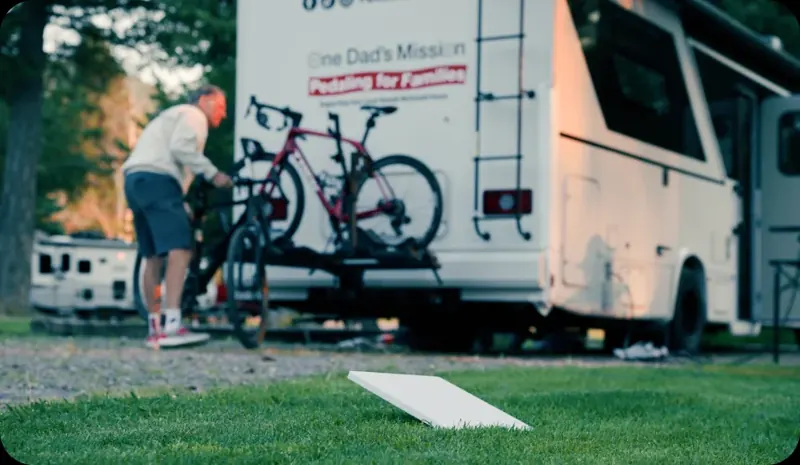
Starlink at national parks and campgrounds: finding sky under the trees
Checkout happens on Starlink.com. Starlink sets the U.S. referral credit, now $100 for new customers.
A national park or public campground is one of the places people most want a dish to work, and one of the harder places to set one up. Cell service is often thin. The trees that make the campground worth visiting also block the sky. And the rules on the post at the site entrance still apply to you.
This is not an official park-service guide. We did not find a single nationwide Starlink policy on park land. What follows is practical advice for U.S. travelers on Roam, using Starlink's own obstruction and in-motion rules plus ordinary campground common sense. For general RV setup, see Starlink for RVs. For remote camps outside a park, see overlanding.
The sky is the real problem, not the map
Starlink needs a clear view of the sky. A dense canopy, a narrow canyon campground or a site boxed in by RVs will show up in the app's obstruction view as a poor or unusable spot, even when the coverage map looks fine.
Walk the site before you commit to it if you can. A pad at the edge of a loop, a picnic area, a river bar or a short walk to a meadow is often better than a pretty site under big trees. The Mini is easier to carry to that clearing. A Standard kit on the roof only works if the roof itself can see the sky.
- Use the app first. The obstruction tool is more honest than a guess from the ground.
- Height helps, but only with a clear view. A tall mount in a hole in the trees is still a hole.
- Do not attach the dish to a tree, a sign or a historic structure. Use your own mount, table, hatch or a portable pole you brought.
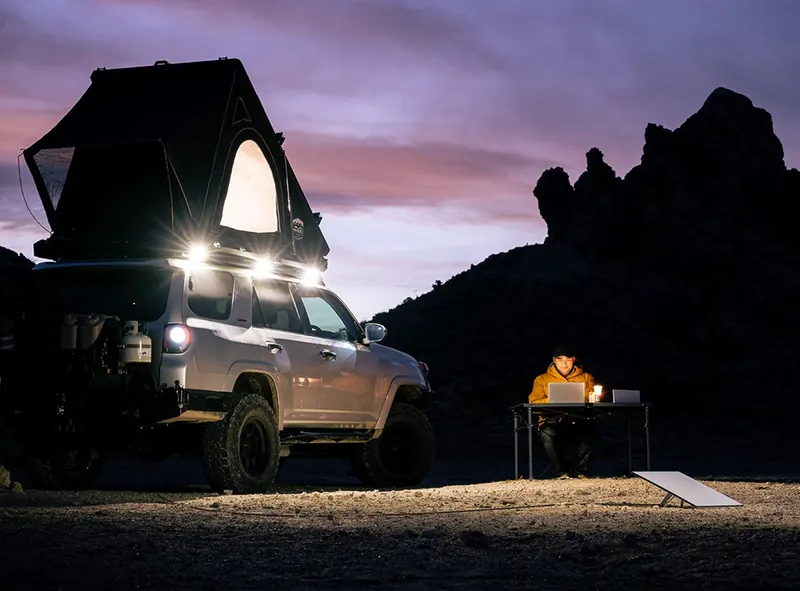
Rules that are already on the post
Parks and public campgrounds already publish rules about generators, quiet hours, cords across walkways, vehicles off pavement and leaving gear unattended. A Starlink kit does not get a special exception.
If generators are limited to certain hours, a power station or house battery is the cleaner way to run a Mini through the evening. If the site forbids tethering to trees or driving off the pad, do not invent a mount that breaks those rules. Run the cable so nobody trips on it, and take the kit in if the weather or the rules require it.
Some parks and concession campgrounds advertise their own Wi-Fi. It may be slow, limited to a lodge, or fine for a quick message. Starlink is a way to have your own connection when that Wi-Fi is weak, not a reason to ignore posted rules.
We are not telling you that every park allows a dish on a picnic table. If a ranger, host or posted sign says no, that is the rule at that site. Ask when it is unclear.
Which kit and plan fit a park stay
For a night or a weekend, a Mini is usually the easier kit: it packs, it uses less power, and you can walk it to a better patch of sky. Mini 2's battery, which Starlink has rated at up to 4.5 hours, can cover a short evening if you have no other power. A Standard kit makes more sense for a longer stay at an open, full-hookup loop, or on a roof already set up for it. The Mini vs Standard page walks through that choice.
Plan-wise, this is Roam territory, not Residential. Residential is tied to a home address and is not meant for a moving trip. Starlink's U.S. service-plans page on November 26, 2026 listed Roam 100GB at $55 a month, Roam 300GB at $80 and Roam Unlimited at $175. A short trip can live on a smaller plan; a month of work-from-camp may not. After the trip, many people pause with Standby Mode rather than keep paying for unused high-speed data. Check the current Standby terms when you pause.
If you will use the dish while driving between parks, read Starlink in motion and confirm your kit and location are authorized. Inside a park, you will almost always be parked.
Heading out?
Check Roam for a park season
Starlink's order page shows current Roam plans and hardware. Confirm the price and the kit, then use the app's obstruction check once you arrive.
Click to get your $100 credit (opens Starlink's order page in a new tab)
Referral note: new Roam or Residential customers who order through this link can get a reward from Starlink after two months of service, $100 in the U.S. at the moment, as bill credit or cash. Starlink decides the amount and the rules.
A simple setup routine at the site
- Arrive and look up: if the sky is a narrow slot, consider another pad or a short walk with the Mini.
- Run the app's obstruction check before you unpack the evening.
- Set the dish on your table, hatch, rack or a portable pole you brought, not on park property you were not asked to use.
- Keep the cable out of walkways and away from slide-outs, water and the fire ring.
- Power it from the vehicle, a power station or shore power. If you need a generator, stay inside posted hours.
- Pack the kit away when you leave the site, even for a long hike, if theft or weather is a concern.
See current Roam plans before the trip
Check Starlink's order page for today's kit and plan prices, then test the sky when you arrive. A good pad matters more than a new accessory.
Click to get your $100 credit (opens Starlink's order page in a new tab)
Referral note: new Roam or Residential customers who order through this link can get a reward from Starlink after two months of service, $100 in the U.S. at the moment, as bill credit or cash. Starlink decides the amount and the rules.
Park and campground questions
Will Starlink work under heavy tree cover?
Usually not well. Dense canopy blocks the signal. Look for a clearing, a higher pad or a different loop, and trust the app's obstruction check.
Is Starlink allowed in national parks?
There is no single nationwide rule we could find that names Starlink. Follow the posted rules of that park or campground, and do not attach gear to trees or structures.
Should I bring a Mini or a Standard kit?
A Mini is easier to carry to an open patch of sky. A Standard kit can stay on the roof at an open site. The kit comparison page has the tradeoffs.
Can I run it all night?
Yes, if you have the power and the site allows the setup to stay out. A Mini is easier on a battery. Quiet hours still apply to generators.
Does park Wi-Fi replace a dish?
Sometimes, at a lodge or a headquarters area. At many loops it is weak or absent, which is why people bring Roam. Try the posted Wi-Fi first if you only need a short message.
Ordering Roam?
A $100 credit for first-time Starlink travelers
Never had Starlink before? Start the Roam order with the button below and Starlink can add a $100 credit to your account once you've had service for two months. The kit and plan cost exactly what Starlink charges anyway.
Click to get your $100 credit (opens Starlink's order page in a new tab)
That link includes my referral code, so I may get a referral benefit as well. Starlink can change the program whenever it likes.