Starlink Mini vs Standard for travel: which kit should you pack?
Checkout happens on Starlink.com. Starlink sets the U.S. referral credit, now $100 for new customers.
Travelers usually choose between Starlink's portable Mini family and the Standard kit used at many homes. Mini 2 is a newer portable kit with its own battery. This page compares those options for RVs, vans, boats and camp, without pretending one kit wins for everyone.
Hardware prices change, and promotions come and go. Starlink's checkout shows the current kit price for your account. Plan rules live on the RV, boat and overlanding guides, and in the in-motion article.
What the kits are for
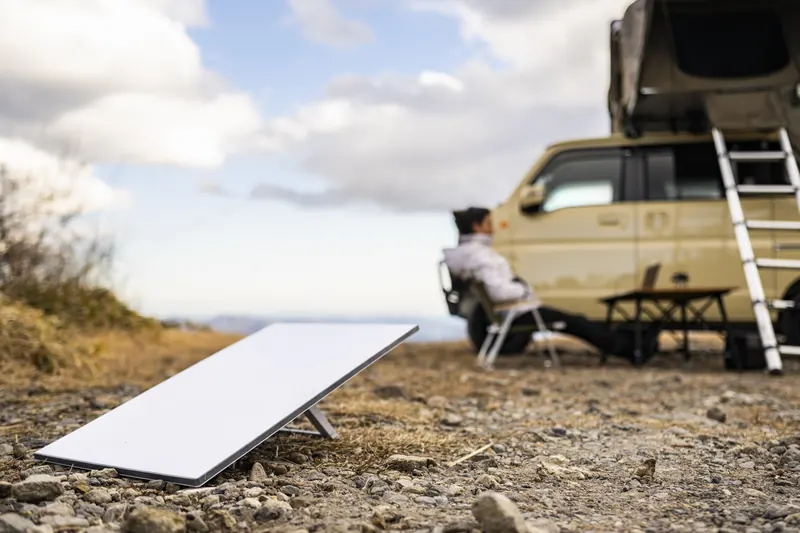
The original Mini and Mini 2 are compact kits with built-in Wi-Fi, meant to pack up and move. They suit short stops, tight storage and places where you do not want a large dish on a roof for weeks at a time.
The Standard kit is the everyday home dish: a larger flat antenna, a separate router and a longer cable. Plenty of travelers use it on an RV or at a long stay, because it is sturdier in weather and easier to mount as a fixture. It is heavier and hungrier for power than a Mini.
- Mini and Mini 2: packable, quicker to set down at a stop, lower power draw.
- Standard: larger, more of a fixture, better in snow and wind according to Starlink's own kit comparison, and a longer cable run into the vehicle or cabin.
- Performance: a heavier, higher-capacity kit. Most weekend travelers do not need it.
A side-by-side, in plain language
| Mini / Mini 2 | Standard | |
|---|---|---|
| Best fit | Trips, tight storage, moving often | Longer stays, a mounted roof or pole, harsher weather |
| Setup | Set down, point at the sky, connect | Kickstand or a mount, cable to a separate router |
| Power | Lower draw; Mini 2 adds a swappable battery Starlink rates at up to 4.5 hours | Higher draw; plan on shore power, a generator or a sizable house battery. See the Mini power guide for portable math. |
| Weather | Fine in normal travel weather; pack it away in a storm if you can | Starlink lists snow-melt and a wider operating range on the Standard and Performance kits than on smaller portable kits |
| In motion | Starlink's in-motion support list has included the Mini. Confirm the current list before you rely on it | Some Standard models are listed for in-motion use; older motorized kits are not |
Sources: Starlink's kit comparison help article and Starlink's in-motion support pages, read with this site's earlier travel guides. Starlink does not guarantee speeds, and the supported-kit list can change.
Mini 2, and why the original Mini is still in the conversation
Mini 2 is Starlink's newer portable kit. The obvious difference is a swappable battery, which Starlink has rated at up to 4.5 hours. That helps at a trailhead or a beach when you do not want to run a vehicle or find an outlet. Starlink's full Mini 2 specs and a Mini vs Mini 2 table are on the Starlink Mini 2 page.
The original Mini is still sold, and it has been the kit Starlink discounts most often for U.S. Roam customers. Our last direct check of the U.S. Roam page, on November 24, 2026, showed the original Mini at a steep promotional price, with an option to spread the hardware cost over 12 months, plus the monthly plan. We could not reload that checkout in this writing pass, so treat Starlink's order page as the figure that counts. Mini 2 is priced separately and has not been part of that same promotion when we last saw it.
If you already own an original Mini and it meets your needs, you do not have to move to Mini 2. If you want the battery and the newer portable design, compare both prices at checkout before you decide.
Power, mounts and the way you actually travel
Power is usually the tie-breaker. A Mini is easier to run off a vehicle outlet, a portable power station or a modest house battery. A Standard kit will do the same job, but it asks more of the battery and may need a generator or shore power on a long boondock.
Mounting is the other half. A Mini can live on a table, a hatch or a short pole and come inside at night. A Standard kit is happier on a roof rack, a ladder bracket or a proper mount if the vehicle stays put for days. For boats, a low, secure mount and a spray-safe cable run matter more than which logo is on the kit; see Starlink for boats.
Ready to compare?
See today's kit and Roam prices
Starlink's order page shows the current hardware price and Roam plans for your account. Promotions change, so the figure at checkout is the one to trust.
Click to get your $100 credit (opens Starlink's order page in a new tab)
Referral note: new Roam or Residential customers who order through this link can get a reward from Starlink after two months of service, $100 in the U.S. at the moment, as bill credit or cash. Starlink decides the amount and the rules.
In-motion use, parks and crossing a border
If you want the dish to work while you drive, start with the in-motion guide. Starlink allows in-motion use on Roam plans, in authorized places, with a supported kit, and lists a 100 mph limit. Residential plans and Standby Mode are not for driving. Confirm that your exact kit is still on Starlink's support list.
For tree cover at a national park or a public campground, a Mini is easier to carry to a clearing. A Standard kit can stay on the roof if the site is open to the sky. There is a separate guide to parks and campgrounds.
If the trip leaves the United States and Canada, plan rules change. Roam in Mexico and the U.S.-Canada road trip page cover that.
Check the kits on Starlink's order page
Compare the current Mini, Mini 2 and Standard prices for your account, then pick the Roam plan that fits the trip.
Click to get your $100 credit (opens Starlink's order page in a new tab)
Referral note: new Roam or Residential customers who order through this link can get a reward from Starlink after two months of service, $100 in the U.S. at the moment, as bill credit or cash. Starlink decides the amount and the rules.
Mini vs Standard questions
Is the Mini always the right kit for travel?
No. It is the easier pack-up option. A Standard kit can be the better long-stay or bad-weather choice if you have the space, a mount and enough power.
Do I need Mini 2 if I already have a Mini?
Only if you want the newer portable design and the swappable battery. An original Mini still works on Roam.
Can I use a Standard kit in an RV?
Yes. Many people do. Plan for the extra power and a secure mount, and use the app's obstruction check wherever you park.
Which kit works in motion?
Starlink publishes a support list of kits approved for in-motion use. It has included the Mini and some Standard models. Check that list for your kit before you rely on a moving connection.
Where do I see the current price?
On Starlink's order page. Hardware promotions change, and a price you saw last week may not be the price today.
Ordering Roam?
A $100 credit for first-time Starlink travelers
Never had Starlink before? Start the Roam order with the button below and Starlink can add a $100 credit to your account once you've had service for two months. The kit and plan cost exactly what Starlink charges anyway.
Click to get your $100 credit (opens Starlink's order page in a new tab)
That link includes my referral code, so I may get a referral benefit as well. Starlink can change the program whenever it likes.