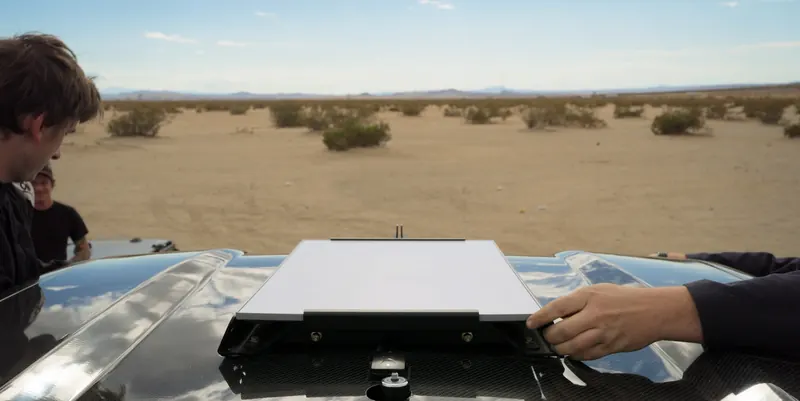
Starlink for truckers: streaming and gaming in the sleeper, even when the cell signal drops
Checkout happens on Starlink.com. Starlink sets the U.S. referral credit, now $100 for new customers. This is a referral link.
A lot of over-the-road driving happens where the phone shows one bar, or none. A semi-driver still has to sleep in the truck, stream a show, play a game, or call home. Cell coverage on the highway and at a truck stop is uneven, and there is rarely reliable Wi-Fi when you shut down for the night.
On a Roam plan, with a supported kit and a clear view of the sky, Starlink can provide internet in a semi truck where the cell network fades. It is not coverage on every mile, and it does not replace the rules that apply while you drive. Prices belong on Starlink's checkout, coverage belongs on its map, and the in-motion rules are in the in-motion Roam guide.
Why a trucker looks at Starlink
OTR driver internet has usually meant a phone hotspot, a cab modem, or truck-stop Wi-Fi. That works in towns and along some interstates, then drops in valleys, on empty two-lanes, and at yards with poor coverage. When you live in the sleeper, that gap is a night with no way to stream, game, or video-call.
Starlink does not use the cell tower next to the ramp. The dish talks to satellites overhead, so the question is whether it can see enough sky. Trees, fuel canopies, dock roofs, and a trailer parked tight against the cab can still block it.
This is my Starlink referral site. The order buttons on this page are a referral link to Starlink's checkout. The kit and plan cost what Starlink charges anyway. If you are new to Starlink, Starlink can add a $100 U.S. credit to your account after two months of service. Starlink sets the amount and the rules, and can change them.
Streaming and gaming in the sleeper
After you park, you want a movie or live TV stream, a game on a laptop or console, or a call with people who are not on the road.
Starlink's public specifications have listed typical land latency around 25–60 milliseconds, and have said those speeds can be suitable for streaming, video calls, and online gaming. In some remote places, the same documents have put latency at 100 milliseconds or more. Speeds are not guaranteed. They vary with location, time of day, network load, weather, and whether anything is blocking the dish.
- Streaming TV and video usually work when the sky is open and you still have high-speed data on your plan. If the picture stutters, check for a canopy, a tree line, or a trailer blocking the dish.
- Gaming on the road is mixed. Casual and many online games are often fine in that 25–60 ms range. Fast, competitive games can feel a spike, especially while the truck is moving or in a higher-latency area. Do not buy a kit only because you expect a perfect ranked-match connection every night.
- Video calls are a better fit than twitchy competitive play, as long as upload is holding and the sky stays clear.
Parked with a clear view is the more reliable setup for a long stream or a game session. In-motion use, where it is allowed, is better as a way to stay online between stops, not as a promise that a match will hold through every overpass. Coverage is not everywhere: check Starlink's map, and treat tree cover, canyons, tunnels, and covered parking as places the connection can drop.
Which Roam plan and kit fit a semi
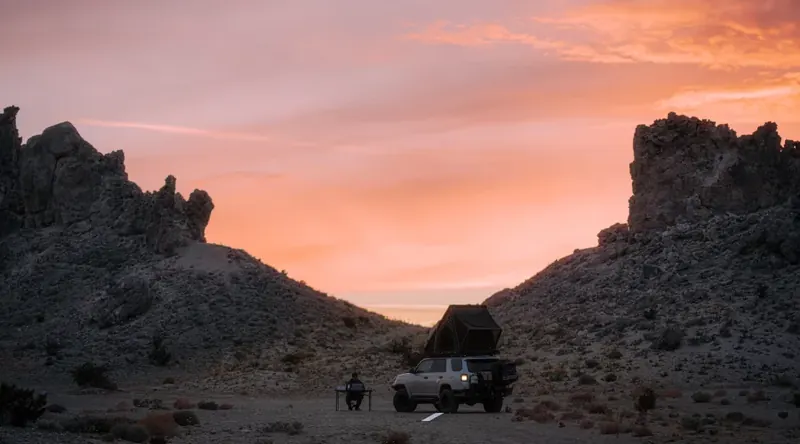
For a truck that moves, the plan that matters is Roam. Starlink's Roam pages say in-motion use up to 100 mph (160 kph) is supported with all Roam service plans, in authorized locations. Residential plans and Standby Mode are not for in-motion use.
When this site last checked Starlink's U.S. service-plans page on , Roam was listed at $55 for 100GB, $80 for 300GB, and $175 for Unlimited, with a lower speed after the cap on the smaller tiers. Confirm those figures at checkout. The Roam plans comparison lays the three tiers side by side. The United States and Canada are treated as one region on current travel pages. Mexico has needed Roam Unlimited, Travel Registration, and a 30-day limit, and this site's Mexico guide notes that in-motion use on land has been prohibited there. Recheck before a southbound run.
Most truckers will look at the Starlink Mini, a compact kit with a built-in Wi-Fi router and a DC power input. Starlink's Mini specification sheet (read November 26, 2026) lists average power consumption of 25–40 watts, an input rating of 12–48 volts at 60 watts, and a weight of 1.10 kg (2.43 lb). The in-motion support list, as checked for this site's in-motion guide on November 25, 2026, has included the Mini, Standard 4, Standard 4 X, and Performance Gen 2 and Gen 3 kits. Older motorized dishes were not recommended for motion, and the V5 kit was not intended for it. Confirm your exact kit on Starlink's current list. A Standard kit can work as a more permanent mount if you can supply the extra power; see Mini vs Standard for travel.
Ready to compare?
See today's Roam prices for a truck setup
Starlink's order page shows the current kit price and Roam plans for your account. Promotions change, so the figure at checkout is the one to trust.
Click to get your $100 credit (opens Starlink's order page in a new tab)
Referral note: this is a referral link to Starlink's order page. New Roam or Residential customers who order through it can get a reward from Starlink after two months of service, $100 in the U.S. at the moment, as bill credit or cash. Starlink decides the amount and the rules.
Power and a secure mount on a truck
The Mini's published average draw is 25–40 watts, with a 60-watt input rating and a 12–48 volt DC input, which is why it fits a vehicle electrical system. Starlink only guarantees performance with its included power supply and cable. If you use another DC path, stay inside that range and watch for voltage drop. The official USB-C accessory cable is specified for a 100-watt, 20-volt / 5-amp USB Power Delivery source — a supply rating, not a claim that the dish pulls 100 watts in normal use. For amp-hour math, see Mini power draw in an RV.
The dish needs a wide view of the sky. On a semi, the trailer, exhaust stacks, and fairings can block that view, especially behind the cab. A kickstand sitting on a roof is not a vehicle mount. Use a mount meant to stay put in highway wind, and follow Starlink's tethering and installation guidance. Improper mounting can injure someone, damage the truck or the kit, or put a warranty at risk if the hardware is damaged in motion. This page is not a catalog of aftermarket mounts, and it does not recommend drilling a sleeper cap without a plan for leaks and your lease or owner-operator rules.
If you only need internet after you park, a setup at the stop may be enough. Run the obstruction check in the Starlink app. Fuel canopies, covered docks, wash bays, and tight tree lines will block the signal.
In motion versus parked for the night
Starlink allows in-motion use on Roam, in authorized locations, with a supported kit, up to the 100 mph limit it publishes. That connection is for the sleeper and for breaks, not for handling a phone, tablet, or game controller while you drive. Follow your company policy and the commercial-driving rules that apply to you.
Most of the value for a trucker is at the end of the day: streaming in a semi truck, gaming on the road from the bunk, and the occasional video call. Leaving the dish up while you roll can keep apps online between stops, with gaps under bridges, trees, and signs. If you need a clean stream or a game session, park with open sky. Canada is currently grouped with the United States for Roam; Mexico is a different plan and registration problem, and in-motion use on land has been listed as prohibited. See the U.S.–Canada road trip and Roam in Mexico pages. Do not assume Starlink will carry your ELD or dispatch gear unless your provider supports a Wi-Fi connection.
Where coverage still drops out
Starlink advertises service across a wide map, not a signal in every parking space. You can lose the connection under a fuel canopy, in a loaded dock, in a tunnel, on a tree-lined ramp, or in a canyon where the sky is a thin strip. A cell dead zone caused by terrain can also be a hard place for a satellite dish, if the same hills or trees hide the sky. Check Starlink's map for your lanes. Service is not offered everywhere, and authorized in-motion locations are a shorter list than the full coverage map. Starlink does not guarantee a speed, and this site will not either.
If you stream most nights, watch the data cap
A driver who streams TV or plays online games most evenings will use more high-speed data than someone who only checks email and maps. The smaller Roam tiers have a high-speed allotment, then a much slower speed for the rest of the month. This page does not publish a gigabytes-per-hour figure, because it varies by app and resolution. Look at the current Roam tiers and after-cap speeds on Starlink's order page, and pick the plan that matches how you actually spend nights in the truck. Checkout is the only price that counts.
Get a kit on the truck before the next long run
Roam bills one month at a time, and you can pause with Standby Mode when you are off the road. Standby is not for in-motion use, so switch back to an active Roam plan before you need the dish on a trip.
Click to get your $100 credit (opens Starlink's order page in a new tab)
Referral note: this is a referral link to Starlink's order page. New Roam or Residential customers who order through it can get a reward from Starlink after two months of service, $100 in the U.S. at the moment, as bill credit or cash. Starlink decides the amount and the rules.
Starlink for truckers: questions
Can a semi-driver use Starlink in the truck?
Yes, on a Roam plan, with a supported kit and a clear view of the sky. Many truckers will choose the Mini because it is small and can take DC power. Confirm current plan rules and the in-motion hardware list on Starlink's site.
Does Starlink work for streaming in a semi truck?
Often, yes, when you are parked with open sky and still have high-speed data on your plan. Starlink's specifications have described typical land speeds and latency as suitable for streaming. It can still stutter under a canopy, behind a trailer, or after you have used up a capped plan's high-speed data.
Is Starlink good enough for gaming on the road?
It can be, for a lot of games, when latency stays in the range Starlink publishes for land use (about 25–60 ms, and higher in some remote places). Competitive games that punish a sudden spike may feel worse, especially while the truck is moving. Treat gaming as a perk of a clear, parked setup, not a guarantee.
Can I use Starlink while the truck is moving?
On a Roam plan, in an authorized location, with a kit Starlink lists for in-motion use, up to 100 mph. Residential plans and Standby Mode are not for that. The connection is for the sleeper and for breaks, not for handling a device while you drive.
Will it work at every truck stop?
No. A fuel canopy, a tight row of trees, or a building over the lot can block the dish. If you can park with a wider view of the sky, you will have a better chance.
What does the Mini draw on a truck battery?
Starlink's Mini specification sheet lists average consumption of 25–40 watts and an input rating of 12–48 volts at 60 watts. Plan the wiring and the idle time around those numbers, and see the Mini power guide for amp-hour math.
Where do I see the current price?
On Starlink's order page. Plan and hardware prices change, and a number you saw last week may not be the price today.
Ordering Roam?
A $100 credit for first-time Starlink customers
Never had Starlink before? Start the Roam order with the button below and Starlink can add a $100 credit to your account once you've had service for two months. The kit and plan cost exactly what Starlink charges anyway.
Click to get your $100 credit (opens Starlink's order page in a new tab)
That link includes my referral code, so I may get a referral benefit as well. This is a referral link. Starlink can change the program whenever it likes.